BIM for Design for Civil Engineers
Master BIM workflows tailored for civil and structural engineering projects. Explore how BIM can be applied in site planning, infrastructure development, structural detailing, and project coordination. Improve accuracy, streamline documentation, and strengthen collaboration across multidisciplinary teams to deliver efficient, high-quality civil projects.
Next Batch 10th & 26th August, 2026
Program Duration 8 Months (20 – 24 hours/week)
Mode of Attendance Offline/Online
Why Choose AEC Śāstra for BIM Training?
Acquire the skills, knowledge, and practical experience needed to thrive in the world of BIM. Our holistic training approach ensures you’re fully prepared to meet industry demands.
Learn from the
best
Our instructors are seasoned professionals with years of experience in the BIM industry, providing you with valuable insights and practical knowledge.
Get
specialised
Take advantage of specialized courses designed to deepen your understanding of specific BIM tools and techniques, making you an expert in your field.
Build
experience
Work on real-world projects and case studies to enhance your practical skills and develop a strong portfolio that showcases your abilities.
Placement
services
Our dedicated placement support team helps connect you with leading companies, ensuring you have the best opportunities to launch your career.
Interactive Live Sessions
Engage in real-time with industry experts through interactive live sessions designed to provide hands-on learning experiences.
Project-Based Learning
Apply your knowledge to real-world projects, building a professional portfolio while mastering BIM techniques.
Mentorship & Support
Receive personalized guidance from industry professionals who will help you navigate your learning journey.
Learning Journey

Foundation Phase
Master the fundamentals of BIM concepts, tools, and workflows to build a strong knowledge base.
Skill Development
Develop advanced modeling techniques and learn to create detailed architectural components.
Practical Application
Apply your skills to real-world projects, collaborating with peers on complex design challenges.
Industry Integration
Connect with industry partners through workshops and networking events to prepare for your career.
Who This Is Perfect For
Students and Beginners
Architects and Engineers
Working Professionals
Interior and Industrial Designers
Advantages for BIM Training

Increased Job Prospects

High Pay Oppurtunities

Maximized Efficiency
Reduced Costs & Material Use

Enhanced Project Accuracy

Improved Collaberation
Your Pathway to BIM Excellence
Progress through three comprehensive levels of training, from mastering essential software to building self-reliance and enhancing communication and career skills. Each level is designed to prepare you for success in the BIM-driven industry.
Level 1
The Beginning : Software Mastery (In-house / Virtual)
Entry into BIM is designed for aspiring and working AEC professionals to build a strong foundation in essential tools and workflows. It offers hands-on training with 7+ software tools, 10 structured courses (8 core and 2 elective), and 4 industry-driven workshops. Learners also benefit from continuous learning through Learnova LMS and can track their progress with quizzes and assessments.
AutoCAD
2D drafting and computer-aided design.
Revit
BIM software for 3D modelling and design.

Navisworks
3D model review and clash detection tool.
BIM 360
Cloud-based construction management software.

Photoshop
Image editing and graphic design software.
Civil 3D
Civil engineering design and drafting tool.

ReCap Pro
3D scanning and reality capture software.

FormIt Pro
Conceptual design and modeling tool.

SketchUp
Easy-to-use 3D modeling software.
AutoCAD
2D drafting and computer-aided design.
Revit
BIM software for 3D modelling and design.
Navisworks
3D model review and clash detection tool.
BIM 360
Cloud-based construction management software.
Photoshop
Image editing and graphic design software.
Civil 3D
Civil engineering design and drafting tool.
ReCap Pro
3D scanning and reality capture software.
FormIt Pro
Conceptual design and modeling tool.
SketchUp
Easy-to-use 3D modeling software.
Self-learning - 150 Hrs
- Introduction to the Building Industry
- Service Consultants & Stakeholders
- Materials & Drawings
- Construction Management

Finishing School - 50 Hrs
- Communication/MS Office Tools
- Career Guidance*
- Personality Development
- CV Prep/Mock Interview

Learnova (LMS) – Your gateway to seamless learning
- Seamless Learning – Access all course materials anytime from one platform.
- Progress Tracking – Track learning with quizzes, assessments, and insights.
- Practical BIM – Build skills through hands-on, real-world assignments.
- Collaboration – Connect via forums, group tasks, and peer discussions.
- Updated Content – Learn with regularly refreshed, industry-relevant modules.
- Career Growth – Earn certifications to boost your professional profile.
- Long-term Support – Revisit materials anytime; Learnova stays your career companion.

Level 2
The Honing : Live Project (In-house/Virtual)
You’ll work on real-world building projects—ranging from multi-use to specialized residential or commercial—designed to provide a complete BIM cycle and apply software skills in an industry-aligned environment.
Multidisciplinary – Covers architectural, structural, and MEP aspects.
Contextual – Adapts to site, user needs, and functions.
Collaborative – Simulates real professional teamwork.
Global Standards – Follows BIM protocols, safety, and accessibility rules.

Level 3
The Becoming : Paid Internship (In-house)
Internship Experience
You’ll work on modeling, coordination, and optimizing building systems within your stream, collaborating with teams and interacting with stakeholders. This hands-on exposure builds technical expertise while connecting you with real industry practices through bimgrafX projects, where AEC Śāstra has also contributed.
Outcomes
Strong understanding of the AEC sector
Enhanced technical & professional skills
Valuable industry connections

Start Your for BIM
Training?
Students and Beginners
Architects and Engineers
Working Professionals
Interior and Industrial Designers
PROGRAM CURRICULUM
Week-wise Schedule
CAD Essentials24 Hours6 Days
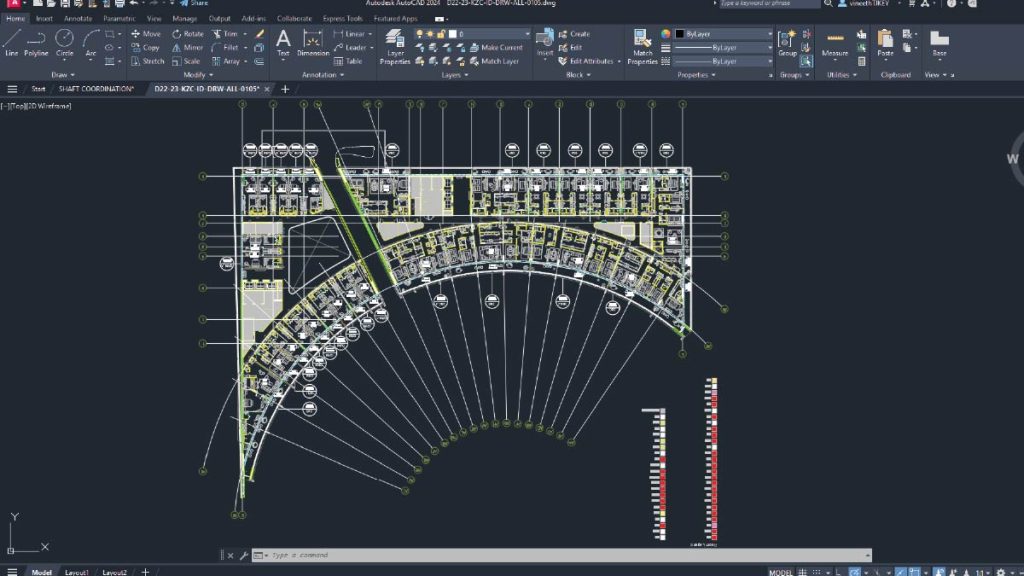
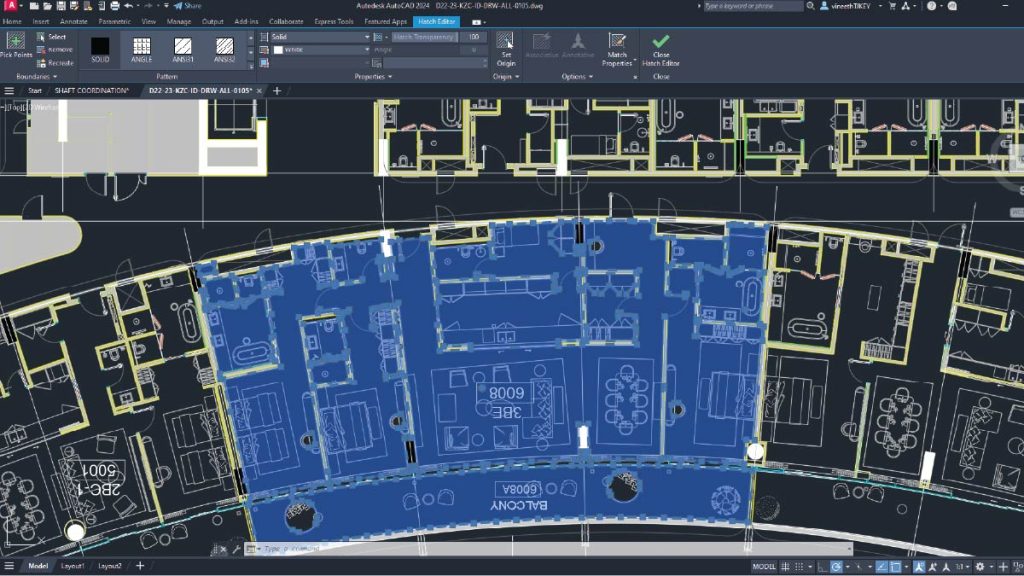
In this course, you will engage in creating various digital designs for buildings. This system enables you to produce error-free and precise designs using AutoCAD.
The course is designed to provide you with a fundamental understanding of drafting basic geometry and other skill sets required to create 2D drafts and automate complex or tedious drawing tasks. These skills are applicable across various domains, including Architectural, Interior Design, Landscape, Infrastructure (Civil), Structural, Mechanical, Electrical, and other specialist services in building projects.
CAD Advanced8 Hours2 Days
In this course, you will engage in creating various digital designs for buildings. This system enables you to produce error-free and precise designs using AutoCAD.
The course is designed to provide you with a fundamental understanding of drafting basic geometry and other skill sets required to create 2D drafts and automate complex or tedious drawing tasks. These skills are applicable across various domains, including Architectural, Interior Design, Landscape, Infrastructure (Civil), Structural, Mechanical, Electrical, and other specialist services in building projects.
BIM Essentials24 Hours6 Days
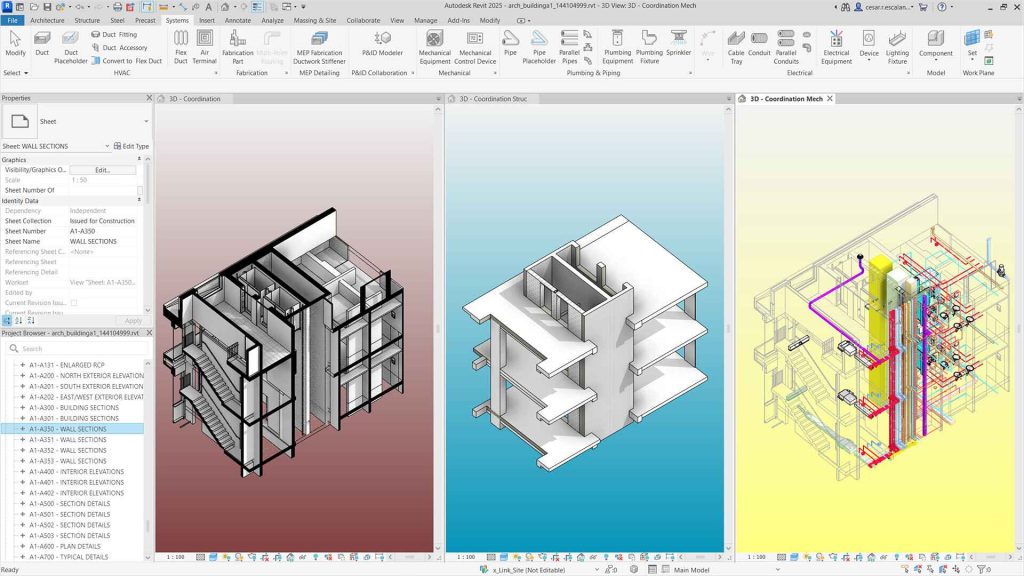
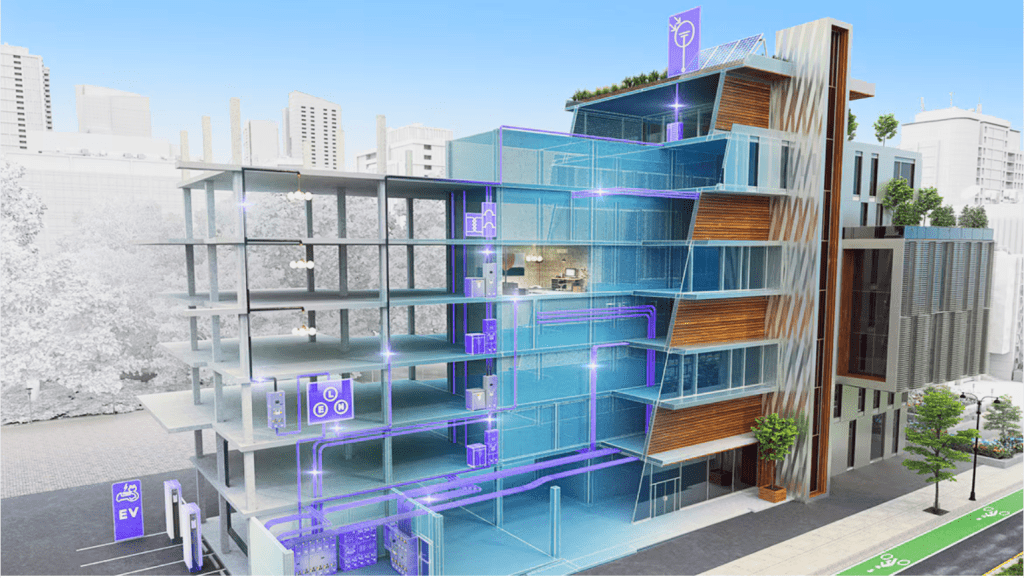
This course introduces the essential concepts of BIM (Building Information Modelling) and the foundational technical skills needed to develop a BIM model using Autodesk Revit. BIM is a data-driven process that enables project teams to manage information from the design stage through the building’s life cycle. You will gain an understanding of basic modelling concepts and the importance of collaboration, making this course beneficial for learners across all disciplines.
Modules
BIM Advanced16 Hours4 Days
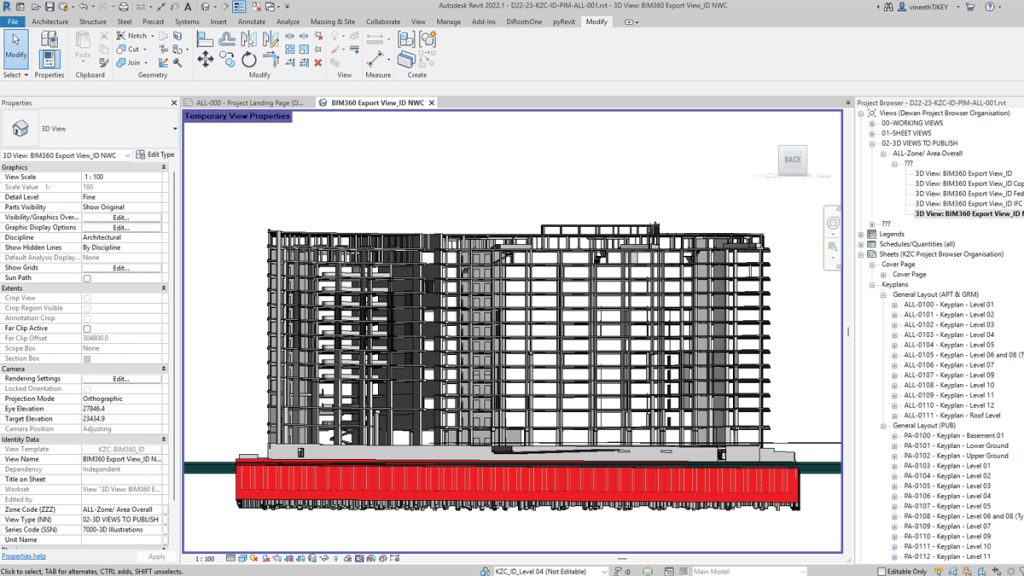
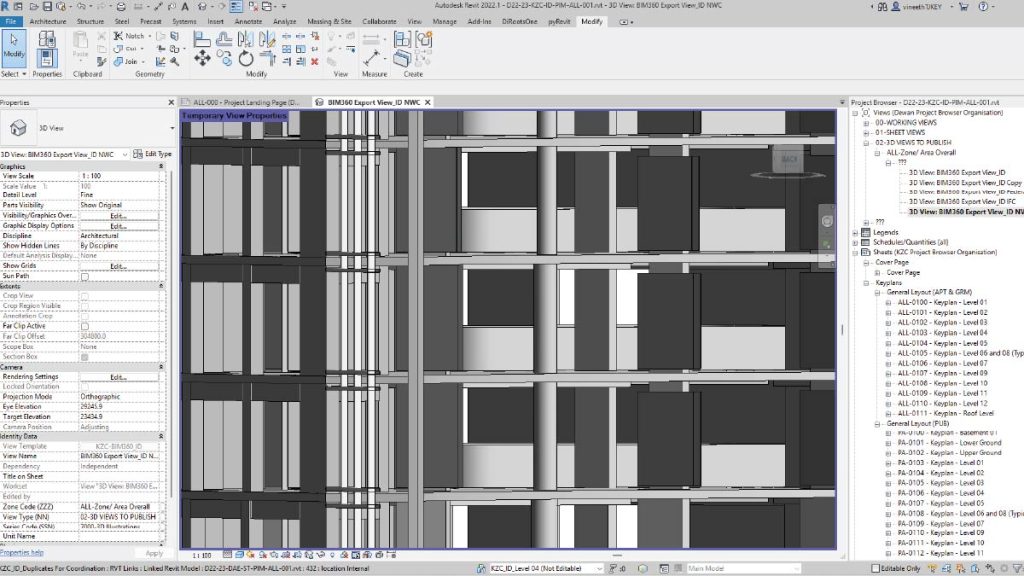
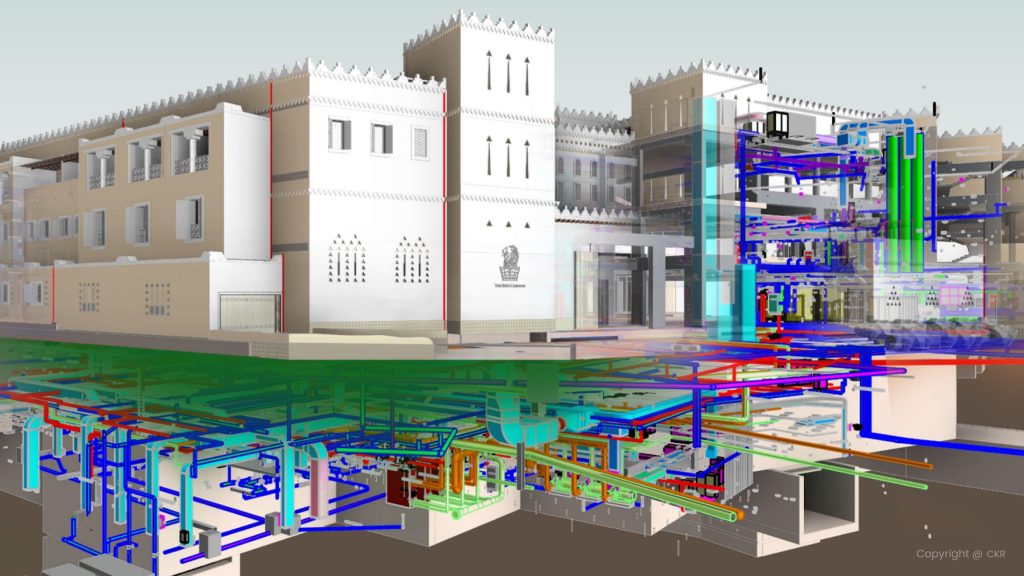
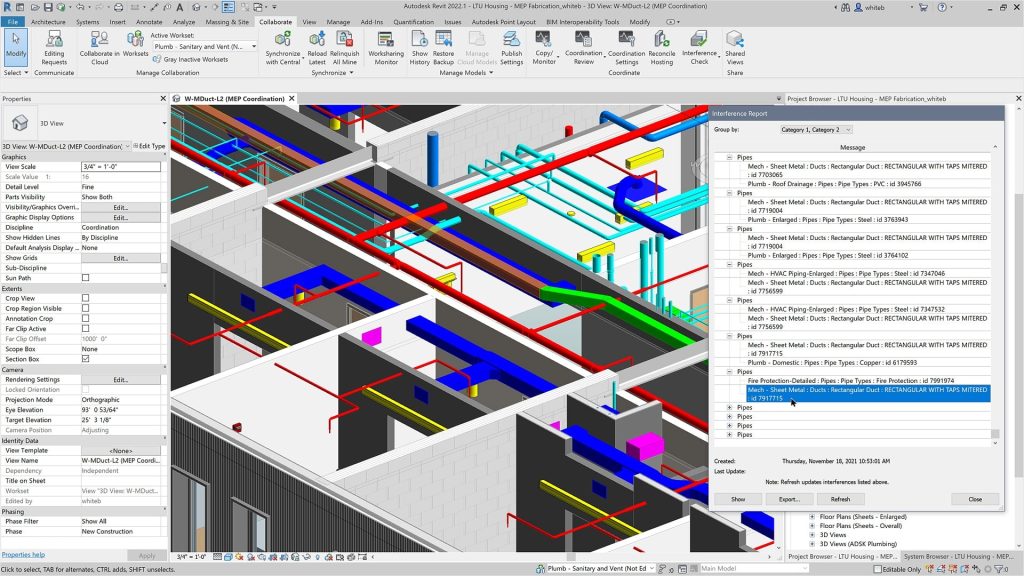
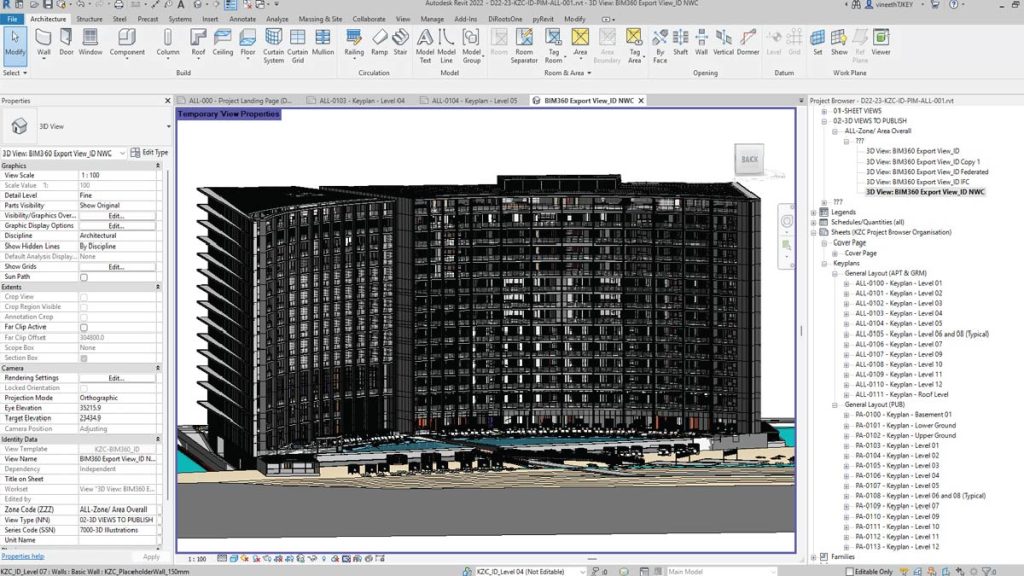
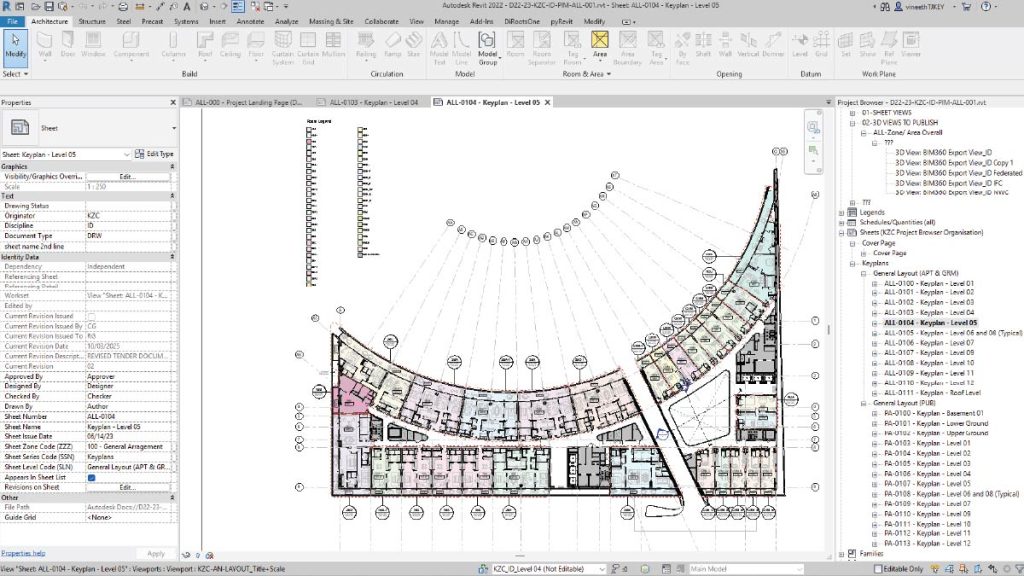
Across-disciplinary course for Civil, MEP, and Architecture professionals focusing on advanced BIM workflows. Key topics include Spaces and Zones for building analysis, Materials and Renderings for visualization, Schedules and Quantities for accurate data, and Advanced Documentation for efficient project delivery. The course equips participants with practical skills to collaborate better and produce high-quality BIM outputs.
Modules
BIM Specialization16 Hours4 Days
Elective choice between Architecture and Structure specialization
1. BIM Architecture Specialization
Designed for architects, civil engineers, and interior designers, this specialization focuses on advanced Revit workflows to enhance architectural modeling skills. Learn to edit vertical structures (walls and layers), work with curtain walls and vertical circulation (stairs, ramps), and model 3D parametric and 2D families. Explore advanced concepts like Massing and TopoSolids to create complex, precise, and high-quality architectural models for professional projects.
2. BIM Structure Specialization
Designed for civil and structural engineers, this specialization focuses on advanced Revit workflows for structural modeling and detailing. Participants will work on advanced structural concepts including wall foundations, tapered and slanted walls, and vertical circulation. The course also covers modifying sub-elements for sunken slabs, modeling 3D parametric and 2D families, and a key highlight: adding reinforcement to structural elements such as slabs, beams, and foundations. Learners will gain the skills to create precise, constructible, and fully detailed structural models for professional projects.
BIM for Coordination, 4D & 5D16 Hours4 Days
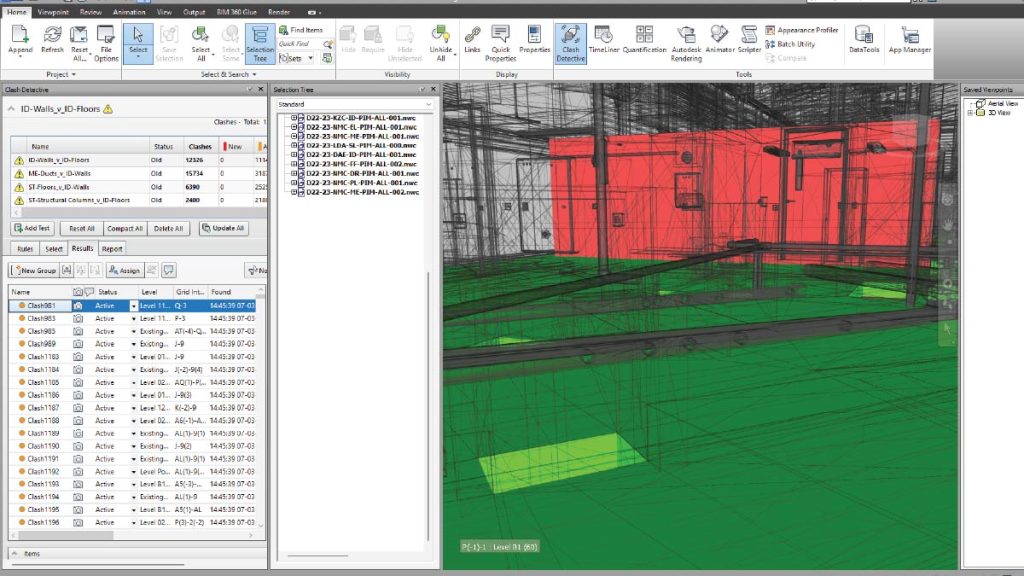
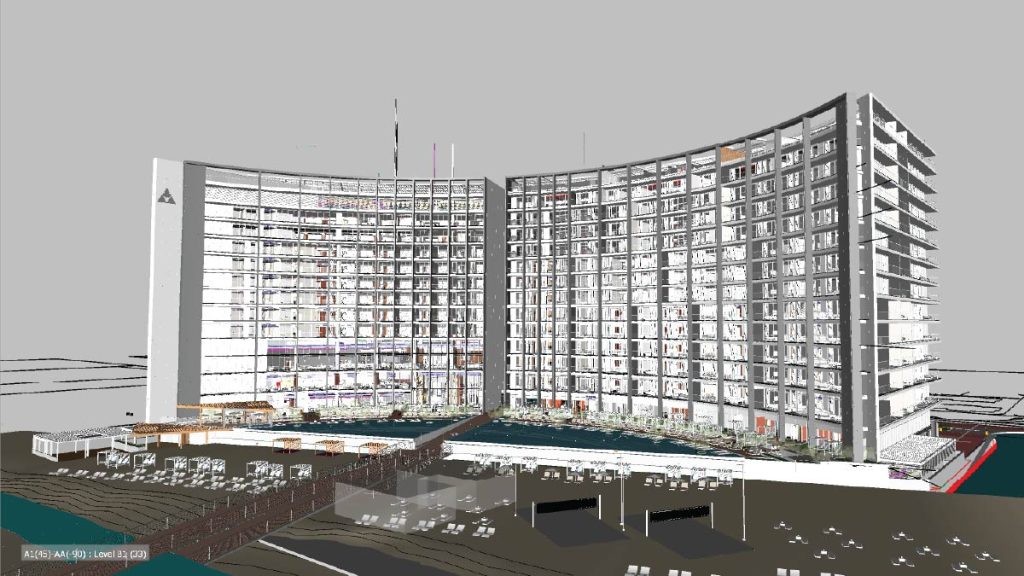
The course is designed for advanced-level training in BIM using Autodesk Navisworks. This course is tailored for Architects, Civil, Mechanical, and Construction Engineers. It will help you gain a better understanding of concepts such as review and markup, communication and coordination with other disciplines on design issues, construction simulation (4D), and cost estimation (5D). The course empowers individuals in model-based estimations.
Image Management Workshop
ISO 19650 Orientation
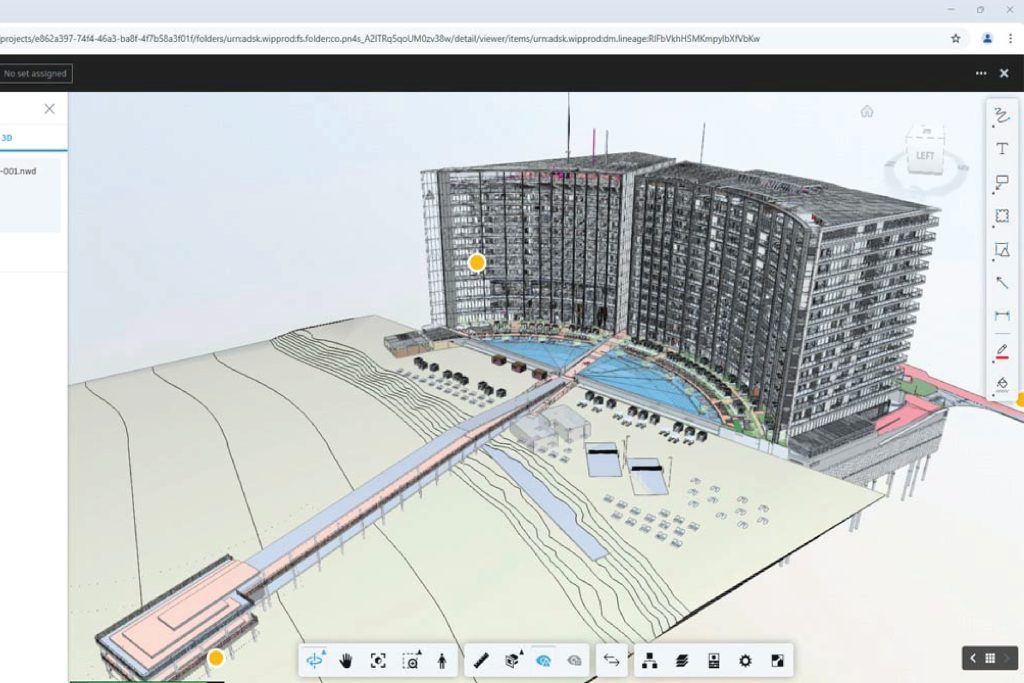
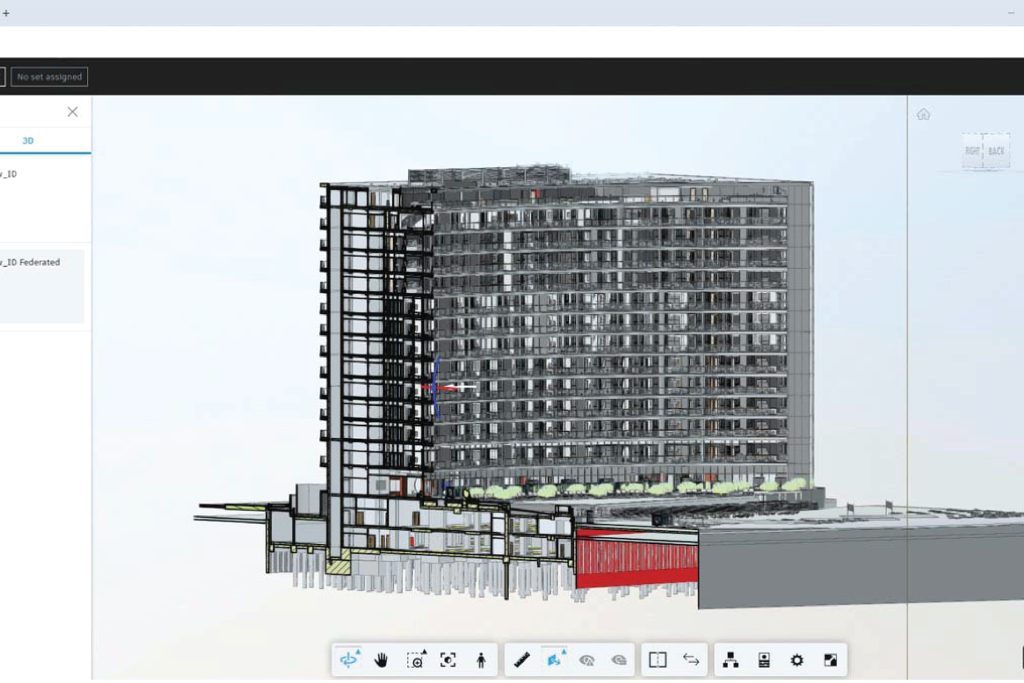
ACC/BIM 360 is an Autodesk cloud-based solution that enables project teams to collaborate effectively. It connects all project stakeholders to execute projects from conceptual design through construction and ultimately project delivery.
This course will guide you through initiating non-model documents and models in the cloud, troubleshooting member access and file versions, resolving issues in the cloud, and understanding linking methods using Revit. Additionally, you will learn about granular permissions in a highly secure environment.
Introduction to Automation
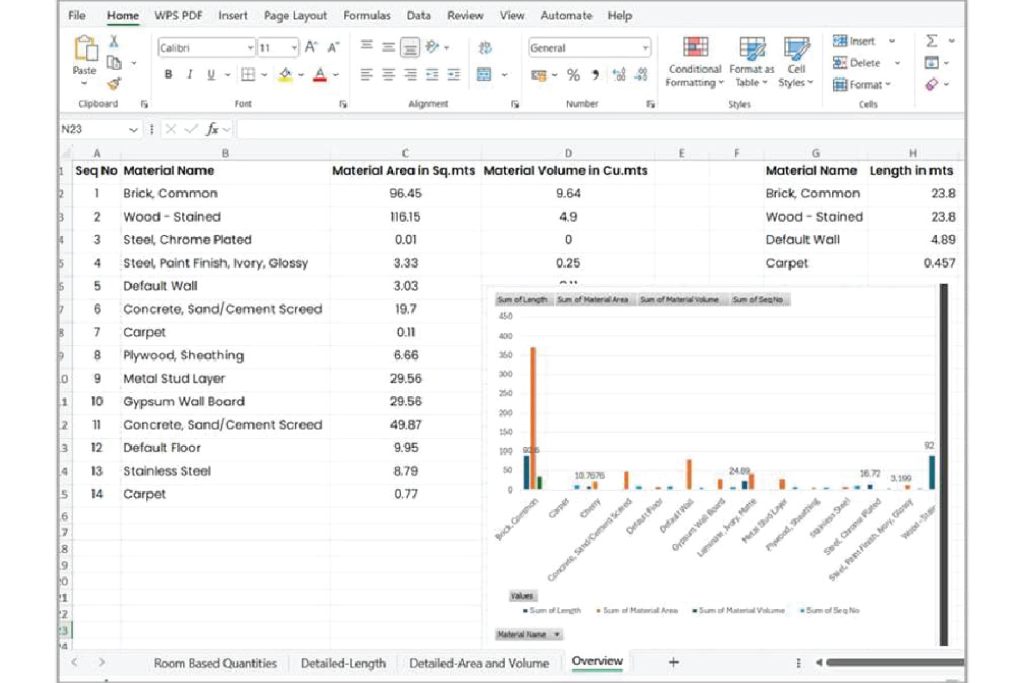
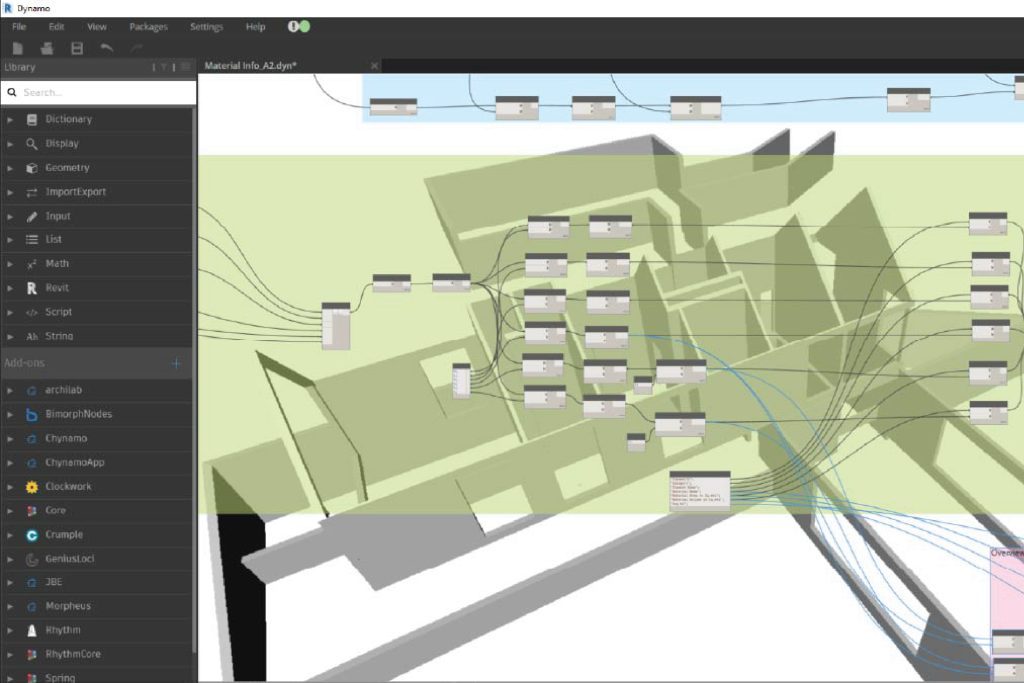
This course is designed to provide you with a solid foundation in parametric design and automation using Dynamo, a powerful visual programming tool for Autodesk Revit. It introduces you to the principles and techniques of parametric modelling and teaches them how to leverage Dynamo’s capabilities to streamline and automate design processes, including data management.
Automation Advanced Workshop
This workshop is designed in a way that one can learn how to automate repetitive Revit tasks using Dynamo scripts. Participants will explore workflows such as automatically creating levels, sheets, and views from Excel data and placing legends across multiple sheets. By leveraging automation, this workshop helps professionals save time, reduce manual errors, and enhance efficiency in BIM project delivery.
BIM Management Workshop
This workshop introduces participants to the powerful capabilities of Autodesk Construction Cloud (ACC), focusing on two key workflows: Design Collaboration, which enables multiple disciplines to co-author, share, and manage design packages seamlessly in a common data environment, and Model Coordination, which allows teams to aggregate models, detect clashes in real-time, and resolve conflicts early. Together, these workflows help improve collaboration, enhance accuracy, and streamline communication across the project lifecycle for better project outcomes.
Visualization8 Hours2 Days
This course introduces you to the fundamentals of SketchUp, one of the most user-friendly 3D modeling tools for architects, interior designers, and visualization professionals. You’ll learn how to navigate the interface, create accurate 3D models, manage components and groups, and apply basic materials and textures.
Building on this foundation, the course integrates Twinmotion, a powerful real-time rendering software, to bring your SketchUp models to life. You’ll explore lighting, materials and other tools to create immersive, photorealistic presentations and walkthroughs.
Technical Expertise
This elective module allows you to specialize based on your discipline, tailoring your learning to align with your professional goals. Whether you’re focused on Architecture or Structural Design, you can choose advanced topics and tools relevant to your field. Dive deeper into specialized workflows, advanced modeling techniques, or project management strategies to enhance your expertise. This module ensures you gain the skills and knowledge needed to excel in your specific area of practice.
1. Infrastructure Essentials
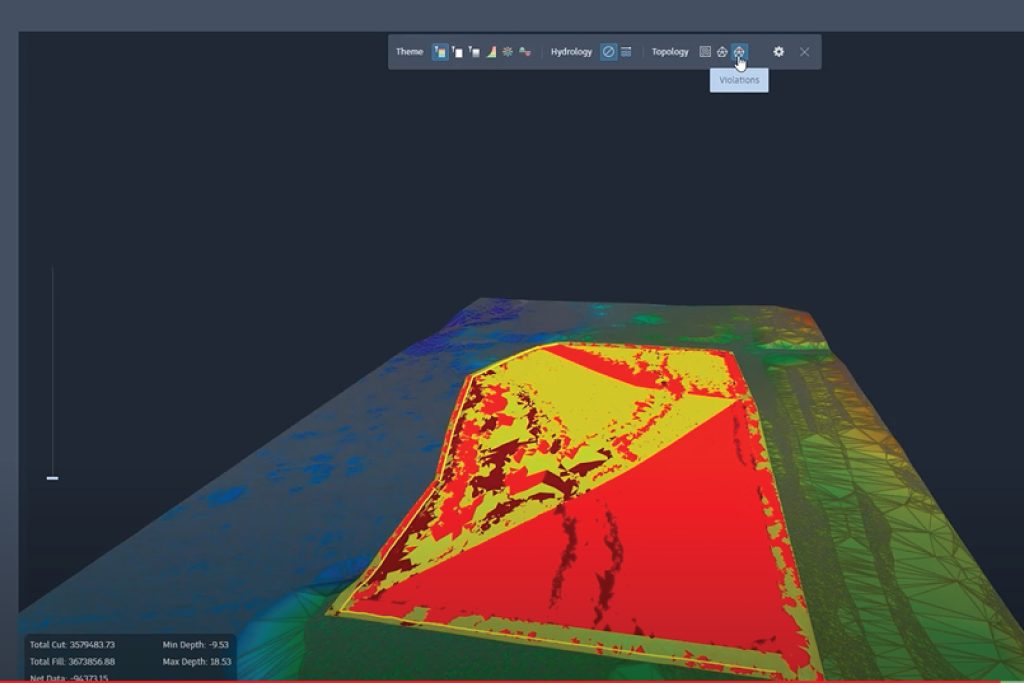

This course is tailored for Architects, civil engineers and infrastructure professionals to master BIM workflows using Autodesk Civil 3D. Key topics include working with Toposolids and calculating Cut and Fill Quantities, developing Profiles and Alignments for highways, and creating Assemblies and Sub-Assemblies for advanced roadway design. By the end of the course, participants will have the practical skills to design, analyse, and document infrastructure projects with greater accuracy and efficiency.
2. SketchUp Advanced
In this course, we will dive deeper into the advanced capabilities of SketchUp, moving beyond the basics to unlock its full potential. You will learn how to navigate the user interface more efficiently and apply advanced techniques in drawing, modeling, texturing, and lighting to create highly detailed and professional 3D models.
Project Management Essentials Workshop
This course provides you with the foundational skills and knowledge needed to effectively manage construction and design projects. Learn to plan, execute, and monitor projects while balancing scope, time, cost, and quality. The course also covers tools and techniques for collaboration, documentation, and problem-solving in multidisciplinary teams. Whether you’re managing small-scale designs or large infrastructure projects, this course equips you with the essential strategies to deliver projects on time, within budget, and to the highest standards.
CAD Essentials
In this course, you will engage in creating various digital designs for buildings. This system enables you to produce error-free and precise designs using AutoCAD.
The course is designed to provide you with a fundamental understanding of drafting basic geometry and other skill sets required to create 2D drafts and automate complex or tedious drawing tasks. These skills are applicable across various domains, including Architectural, Interior Design, Landscape, Infrastructure (Civil), Structural, Mechanical, Electrical, and other specialist services in building projects.
CAD Advanced
In this course, you will engage in creating various digital designs for buildings. This system enables you to produce error-free and precise designs using AutoCAD.
The course is designed to provide you with a fundamental understanding of drafting basic geometry and other skill sets required to create 2D drafts and automate complex or tedious drawing tasks. These skills are applicable across various domains, including Architectural, Interior Design, Landscape, Infrastructure (Civil), Structural, Mechanical, Electrical, and other specialist services in building projects.
BIM Essentials
This course introduces the essential concepts of BIM (Building Information Modelling) and the foundational technical skills needed to develop a BIM model using Autodesk Revit. BIM is a data-driven process that enables project teams to manage information from the design stage through the building’s life cycle. You will gain an understanding of basic modelling concepts and the importance of collaboration, making this course beneficial for learners across all disciplines.
Modules
BIM Advanced
Across-disciplinary course for Civil, MEP, and Architecture professionals focusing on advanced BIM workflows. Key topics include Spaces and Zones for building analysis, Materials and Renderings for visualization, Schedules and Quantities for accurate data, and Advanced Documentation for efficient project delivery. The course equips participants with practical skills to collaborate better and produce high-quality BIM outputs.
Modules
BIM Specialisation
Elective choice between Architecture and Structure specialization
1. BIM Architecture Specialization
Designed for architects, civil engineers, and interior designers, this specialization focuses on advanced Revit workflows to enhance architectural modeling skills. Learn to edit vertical structures (walls and layers), work with curtain walls and vertical circulation (stairs, ramps), and model 3D parametric and 2D families. Explore advanced concepts like Massing and TopoSolids to create complex, precise, and high-quality architectural models for professional projects.
2. BIM Structure Specialization
Designed for civil and structural engineers, this specialization focuses on advanced Revit workflows for structural modeling and detailing. Participants will work on advanced structural concepts including wall foundations, tapered and slanted walls, and vertical circulation. The course also covers modifying sub-elements for sunken slabs, modeling 3D parametric and 2D families, and a key highlight: adding reinforcement to structural elements such as slabs, beams, and foundations. Learners will gain the skills to create precise, constructible, and fully detailed structural models for professional projects.
BIM for Coordination, 4D & 5D
The course is designed for advanced-level training in BIM using Autodesk Navisworks. This course is tailored for Architects, Civil, Mechanical, and Construction Engineers. It will help you gain a better understanding of concepts such as review and markup, communication and coordination with other disciplines on design issues, construction simulation (4D), and cost estimation (5D). The course empowers individuals in model-based estimations.
Image Management Workshop
ISO 19650 Orientation
ACC/BIM 360 is an Autodesk cloud-based solution that enables project teams to collaborate effectively. It connects all project stakeholders to execute projects from conceptual design through construction and ultimately project delivery.
This course will guide you through initiating non-model documents and models in the cloud, troubleshooting member access and file versions, resolving issues in the cloud, and understanding linking methods using Revit. Additionally, you will learn about granular permissions in a highly secure environment.
Introduction to Automation
This course is designed to provide you with a solid foundation in parametric design and automation using Dynamo, a powerful visual programming tool for Autodesk Revit. It introduces you to the principles and techniques of parametric modelling and teaches them how to leverage Dynamo’s capabilities to streamline and automate design processes, including data management.
Automation Advanced Workshop
This workshop is designed in a way that one can learn how to automate repetitive Revit tasks using Dynamo scripts. Participants will explore workflows such as automatically creating levels, sheets, and views from Excel data and placing legends across multiple sheets. By leveraging automation, this workshop helps professionals save time, reduce manual errors, and enhance efficiency in BIM project delivery.
BIM Management
This workshop introduces participants to the powerful capabilities of Autodesk Construction Cloud (ACC), focusing on two key workflows: Design Collaboration, which enables multiple disciplines to co-author, share, and manage design packages seamlessly in a common data environment, and Model Coordination, which allows teams to aggregate models, detect clashes in real-time, and resolve conflicts early. Together, these workflows help improve collaboration, enhance accuracy, and streamline communication across the project lifecycle for better project outcomes.
Visualization
This course introduces you to the fundamentals of SketchUp, one of the most user-friendly 3D modeling tools for architects, interior designers, and visualization professionals. You’ll learn how to navigate the interface, create accurate 3D models, manage components and groups, and apply basic materials and textures.
Building on this foundation, the course integrates Twinmotion, a powerful real-time rendering software, to bring your SketchUp models to life. You’ll explore lighting, materials and other tools to create immersive, photorealistic presentations and walkthroughs.
Technical Expertise
This elective module allows you to specialize based on your discipline, tailoring your learning to align with your professional goals. Whether you’re focused on Architecture or Structural Design, you can choose advanced topics and tools relevant to your field. Dive deeper into specialized workflows, advanced modeling techniques, or project management strategies to enhance your expertise. This module ensures you gain the skills and knowledge needed to excel in your specific area of practice.
1. Infrastructure Essentials
This course is tailored for Architects, civil engineers and infrastructure professionals to master BIM workflows using Autodesk Civil 3D. Key topics include working with Toposolids and calculating Cut and Fill Quantities, developing Profiles and Alignments for highways, and creating Assemblies and Sub-Assemblies for advanced roadway design. By the end of the course, participants will have the practical skills to design, analyse, and document infrastructure projects with greater accuracy and efficiency.
2. SketchUp Advanced
In this course, we will dive deeper into the advanced capabilities of SketchUp, moving beyond the basics to unlock its full potential. You will learn how to navigate the user interface more efficiently and apply advanced techniques in drawing, modeling, texturing, and lighting to create highly detailed and professional 3D models.
Project Management Essentials Workshop
This course provides you with the foundational skills and knowledge needed to effectively manage construction and design projects. Learn to plan, execute, and monitor projects while balancing scope, time, cost, and quality. The course also covers tools and techniques for collaboration, documentation, and problem-solving in multidisciplinary teams. Whether you’re managing small-scale designs or large infrastructure projects, this course equips you with the essential strategies to deliver projects on time, within budget, and to the highest standards.
Industry-Recognized Certification
Earn credentials that validate your expertise and enhance your professional standing in the BIM industry.
BIM Professional Certification
Our comprehensive certification program validates your proficiency in Building Information Modeling and is recognized by leading industry organizations.
Certification Benefits:
- Industry-wide recognition of your BIM expertise
- Enhanced career opportunities and earning potential
- Digital badge for your professional profiles
- Access to exclusive alumni network
Certification Process
1
Course Completion
Successfully complete all required modules and assignments.
2
Capstone Project
Demonstrate your skills through a comprehensive real-world project.
3
Final Assessment
Pass the comprehensive examination covering all aspects of BIM.
4
Certification Award
Receive your official BIM Professional Certification and digital badge.
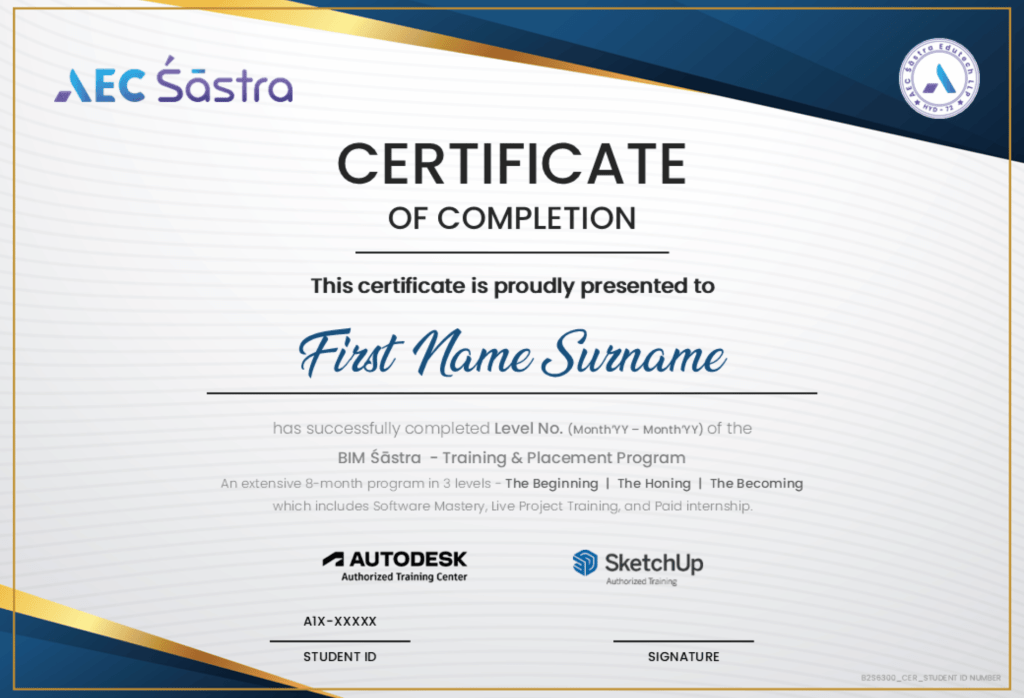
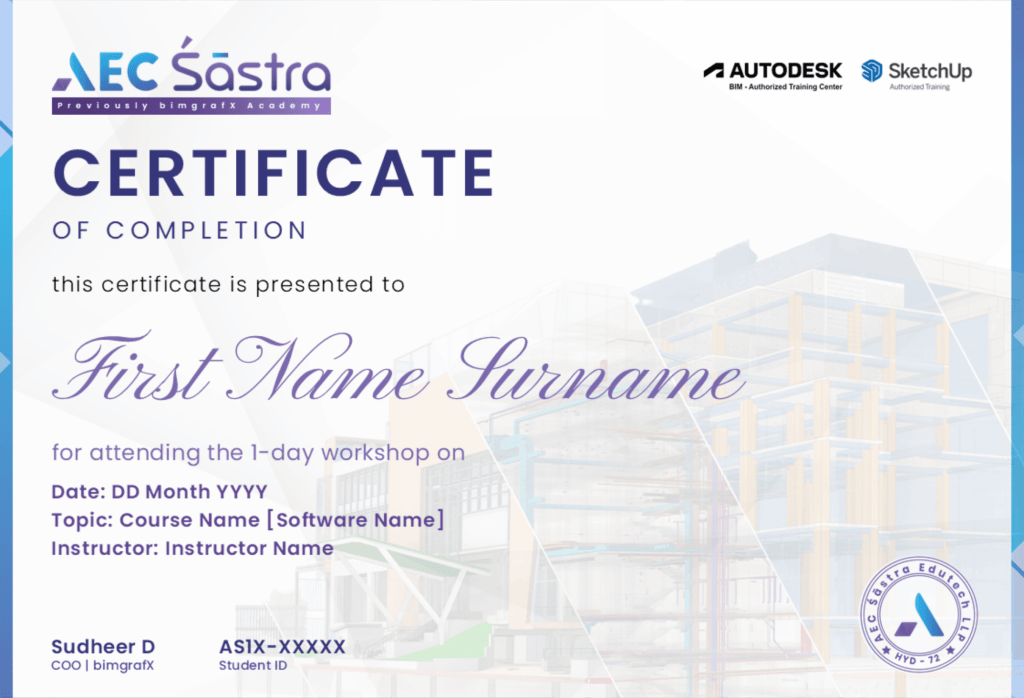
View Sample Certificate
Career Accelerator
Supercharge your career with our comprehensive support system designed to help you succeed in the competitive BIM industry.
Industry Partnerships
Leading Architecture Firms
Connect with top architecture and design firms looking for BIM talent.
Construction Companies
Build relationships with construction firms seeking BIM specialists.
Software Vendors
Engage with leading BIM software companies for the latest tools and techniques.
Career Support
Resume Building
Get expert guidance on creating a standout resume that highlights your BIM skills.
Interview Preparation
Practice with mock interviews and receive feedback to improve your performance.
Networking Events
Attend exclusive industry events to build your professional network.
Job Placement Assistance
Choose what suits you the best
Start your journey with ease by following our streamlined enrolment process. We’re here to guide you every step of the way to secure your spot in our BIM training programs.
Highlights & Benefits
Regular Course
Level 1
Level 2
Level 1+2
Full Program
Master 7+ Software


Integrated Learning (Beta LMS)
LIVE Classes with Industry Experts
Webinars by Industry Experts
Course Completion Certificate
Guided Self-learning
Click Here To Extend
Workshops by Industry Experts
Graded Assessments
Career Guidance
CV Preparation
Mock Interviews
Live Project Experience
Personalized Mentorship
Paid Internship
Experience Letter
Placement
Click Here To Collapse
Enrolment Process
Start your journey with ease by following our streamlined enrolment process. We’re here to guide you every step of the way to secure your spot in our BIM training programs.
01.
Apply for
the course
02.
Speak to an academic counsellor
03.
Submit application to check eligibility
04.
Complete payment and reserve your seat

Flexible Pricing for Every Level
Level 1
Book your seat with
₹10,000
Total Program Fee
Level 2
Book your seat with
₹10,000
Total Program Fee
Level 1 + 2
Book your seat with
₹10,000
Total Program Fee
Level 3
Book your seat with
₹10,000
Available only after
completing Levels 1 & 2.
Level 1
Book your seat with
$100
Total Program Fee
Level 2
Book your seat with
$100
Total Program Fee
Level 1 + 2
Book your seat with
$100
Total Program Fee
Level 3
Book your seat with
$100
offered only offline in Hyderabad
upon completing Levels 1 & 2.
Level-1
Book your seat with
₹10,000
Total Program Fee
Level-2
Book your seat with
₹10,000
Total Program Fee
Level-1 + 2
Book your seat with
₹10,000
Total Program Fee
Level-3
Book your seat with
₹10,000
Available only after
completing Levels 1 & 2.
Level-1
Book your seat with
$100
Total Program Fee
Level-2
Book your seat with
$100
Total Program Fee
Level-1 + 2
Book your seat with
$100
Total Program Fee
Level-3
Book your seat with
$100
offered only offline in Hyderabad
upon completing Levels 1 & 2.

Real Stories, Real Transformations
Nothing inspires like seeing success in action. Hear from our alumni as they share their journeys of growth and triumph after training with AEC Śāstra
Being an Architect BIMGRAFX_is a Perfect Place for PERFECTION and to grow PROFESSIONAL with Pratical Experience through 3DSMAX & SKETCHUP for Architectural Projects.Thankyou BIMGRAFX Academy.

vishnuvardhan perla
Had a great experience while getting trained and learnt lot of things ,further want to go into depths of BIM and want to implement it.
thank you Ankit sir ,ravi sir and naresh sir for providing us an oppurtunity to know much about BIM .
Akhil Kumar
We had a very good Course on REVIT. The course was very good and the trainer was friendly and helped us to learn the very easily and gain knowledge and also we learnt the things very good and it was helpful to use in designing The building and architecture
Saikiran Sunkoju
BIMGRAFX academy, has given us a perfect command over the the softwares, especially 3DS MAX and SKETCHUP. Being trained here gave us an oppurtunity of self exposure over various professions in the field of construction. Feeling “Thankful “.
rohini v
Pesala Dhanunjaya reddy
vikranth smart
Load More
Esha Sahani
kusuma jannu
Meticulously detailed training session followed by adequate practice sessions
samyukta raman
Load Less
Download the Complete Course Syllabus
Get detailed information about our comprehensive BIM for Design program, including module breakdowns, learning outcomes, and career paths.
- Industry-wide recognition of your BIM expertise
- Enhanced career opportunities and earning potential
- Digital badge for your professional profiles
- Access to exclusive alumni network
BIM for Design for Civil Engineers
Complete Course Syllabus
Quick Help!
Navigate the Unknown: Your Guide to Frequently Asked Questions
Navigate the Unknown: Your Guide to
Frequently Asked Questions
Yes. The AEC industry worldwide, including in India, is rapidly adopting BIM, making it a high-demand and future-proof career path.
Career options include BIM Engineer, BIM Architect, BIM Coordinator, BIM Specialist, VDC Engineer, BIM Manager, and more.
The demand is growing rapidly as the AEC industry increasingly adopts BIM across projects, creating continuous opportunities for skilled professionals.
- BIM improves project efficiency by enabling:
- Enhanced collaboration
- 3D visualization
- Accurate documentation
- BOQ scheduling and cost control
Revit is a BIM software used for modeling.
Building Information Modeling (BIM) is a broader methodology that incorporates data-rich building elements for design, construction, and lifecycle management.
BIM: Intelligent, data-driven elements enable automation, analysis, and collaboration.
CAD: Focuses only on geometric drawings, requiring manual data management and coordination.
Yes. While our main program is designed for a comprehensive BIM career start, we also offer shorter courses tailored for professionals with prior AEC industry experience.
No prerequisites are required, though familiarity with building services can be helpful.
Students receive hands-on training, progressing from foundational concepts to advanced implementation in their specific AEC discipline.
Yes. Our training programs include internships, but currently, only domestic placements are available. International internships may be introduced in the future.
Yes. Post-course support and guidance are part of our long-term commitment to learners.
During Level 1 or 2: You will receive a refund for any remaining levels you have already paid for, with a 12.5% deduction. However, no refund will be issued for the level you are currently attending or have completed.
During Level 3: You will not receive a refund, but you will be paid a stipend for the days you attended
To request a refund, send an email request to the administration at:
• To: learn@aecsastra.org
• CC: connect@aecsastra.org
Your email must include detailed reasons for your discontinuation. Refund eligibility will be determined based on your current level and the applicable refund policy.
No, fees are non-transferable and cannot be assigned to another individual.
Yes, AEC Śāstra reserves the right to update or modify this refund policy at any time. Any changes will be communicated with prior notice if you are enrolled in the program. For further inquiries, please contact connect@aecsastra.org.